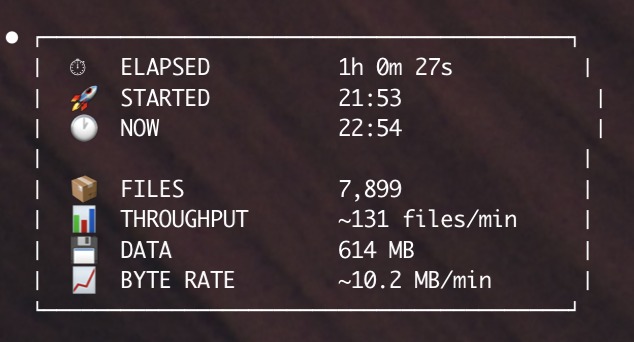
Last night I spent eight hours extracting three to four gigabytes of my own synthetic data from a Supabase Storage bucket. Not exotic data. Not a ten-terabyte archive. A small- to medium-sized collection of podcast-derived artifacts I had paid real money to generate, correlated to transcripts that live in the same project. When I went to get my files out, I discovered that Supabase — a company whose entire positioning is your data, your Postgres, no lock-in — has no first-class path for bulk export out of Storage. The tooling that exists is either undocumented-until-you-hunt-for-it, flagged "experimental" for over two years, or relegated to a Sept 2023 feature request that the maintainers closed by relabeling it a "documentation" problem.
I am not claiming malice. I am claiming that egress has been a second-class citizen on this platform for a long time, that three separate tracking issues across two repos all ask for the same thing, and that the path of least resistance for a user with a few gigs in a bucket is: write your own recursive loop.
What actually exists
Supabase Storage is, under the hood, a metadata table in Postgres plus blob storage behind it. The SDK surface has a list() method that returns the contents of one folder at a time — it is not recursive. This is confirmed by a Supabase maintainer in Discussion #17762: "The storage .list files can only do one folder at a time." If your bucket has any nested structure, you write a walker. If your bucket has a lot of nested structure, you write a walker, pagination logic, retry logic, and hope.
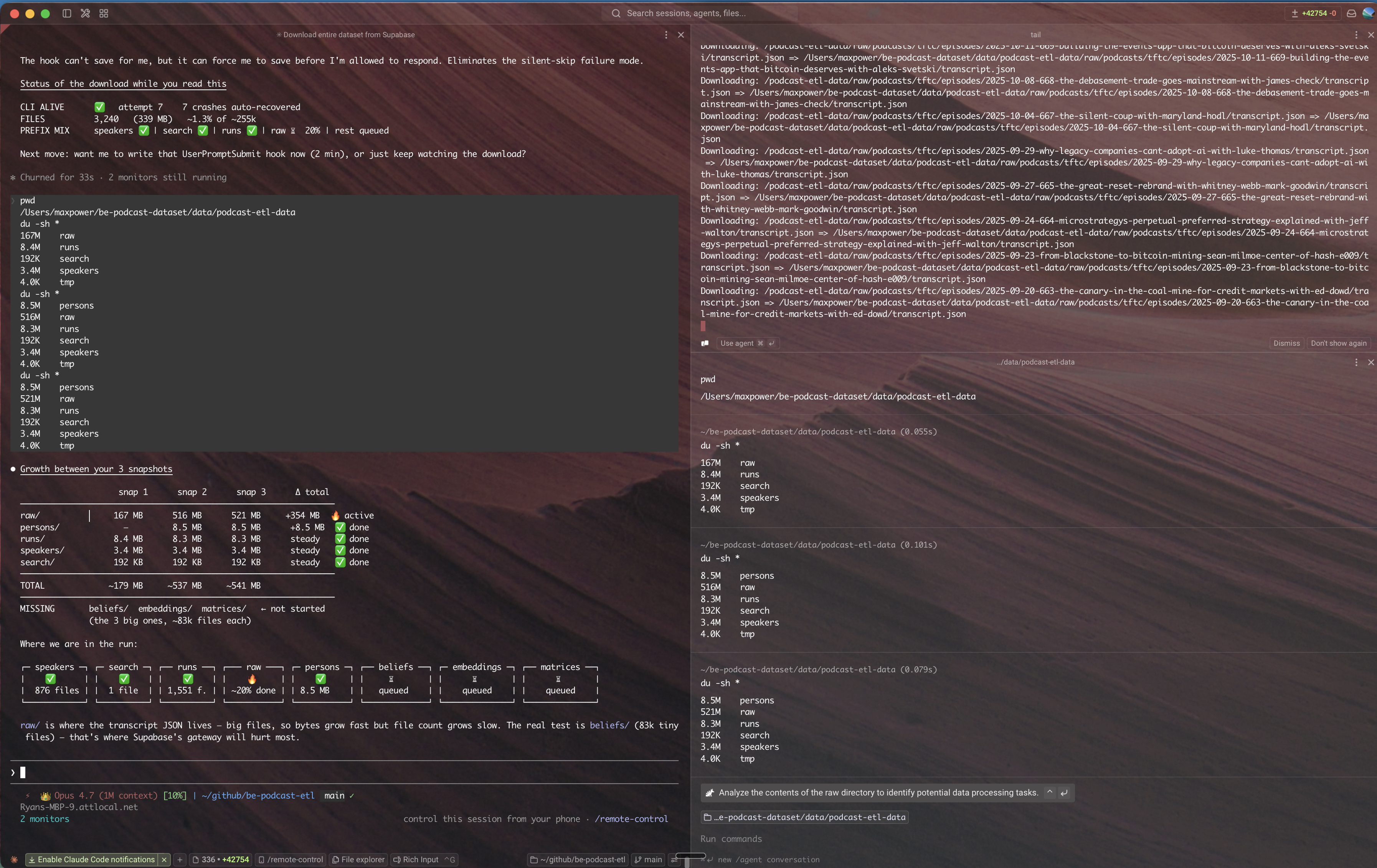
There is a CLI. This part surprised me, because several blog posts insist there isn't. It lives at supabase storage cp and it does support a -r recursive flag. The catch — and it is a big catch — is the required --experimental flag, which has been sitting there on all four storage subcommands (ls, cp, mv, rm) for the entire existence of the feature. The command that actually works, documented inside a GitHub issue rather than a marketing page, looks like this:
supabase --experimental storage cp -r "ss:///bucket-name" "/output"It works. It is also slow. The open issue asking for it to not be slow (cli#1798) was filed December 2023 and is still open.
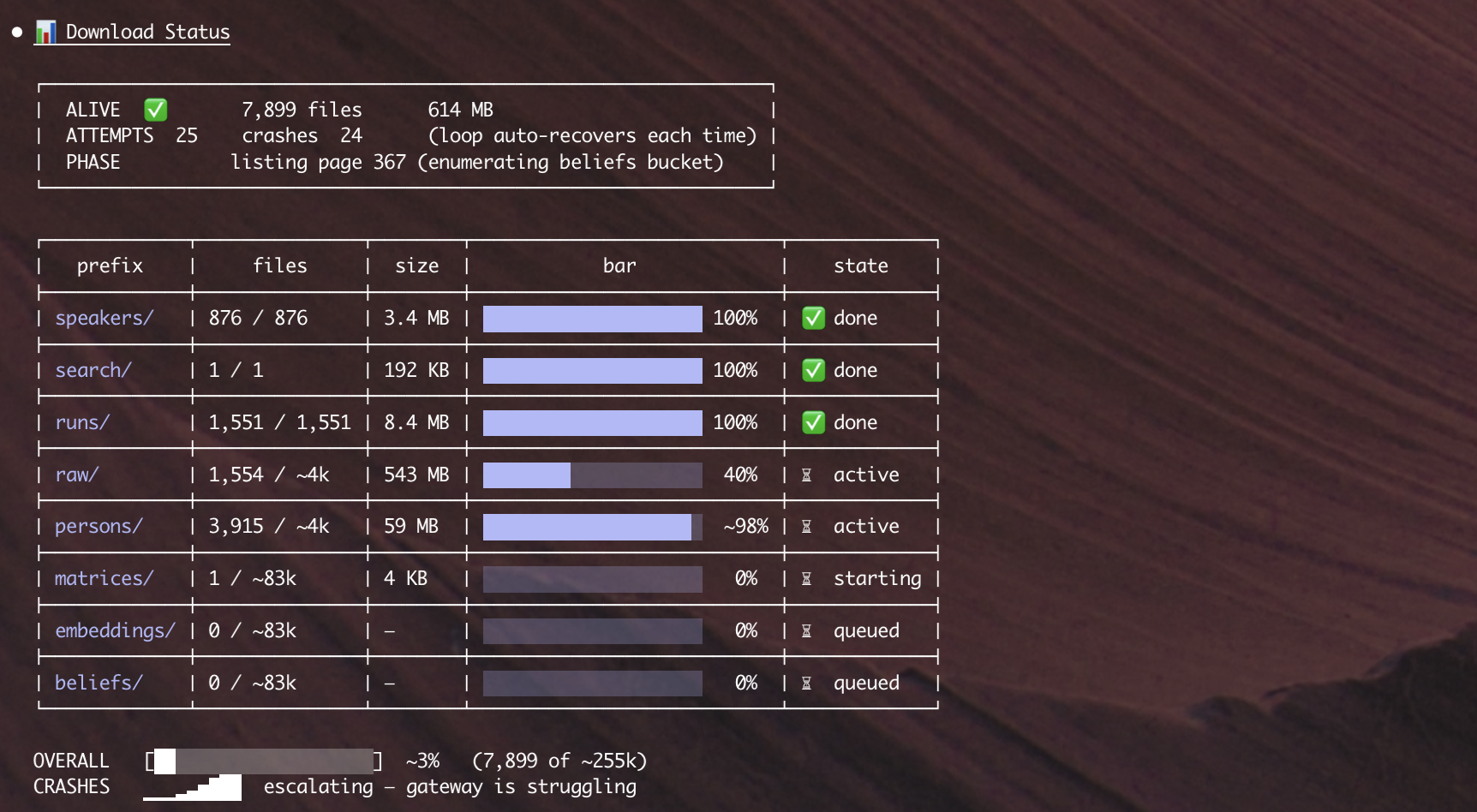
beliefs/, embeddings/) haven't started.
The receipts
I went hunting for the ground truth in the issue trackers. Here is what I found, organized by the GitHub ID so you can verify each claim yourself.
Opened Sept 3, 2023. Requested a first-class
bucket.downloadAll() or bucket.backup() endpoint. Maintainers closed it and applied the documentation label. No endpoint was built.
Opened Aug 18, 2023. Asked for CLI support to pull bucket contents into local development. Still open.
Opened Dec 2023. The workaround command (
supabase --experimental storage cp -r) exists and is cited in the issue body, but it does not scale for buckets with tens of thousands of files.
supabase storage cp
ExperimentalAll four storage subcommands —
ls, cp, mv, rm — require the --experimental flag to run. No promotion to stable has happened.
Supabase's own official migration guide instructs users to exclude storage bucket tables from
pg_dump. Which means their official backup procedure does not back up your storage.
Two and a half years, visualized
So what is actually going on
The boring explanation is the correct one. Supabase Storage was built for ingest and serving — user uploads, CDN delivery, signed URLs for images and video. That is the 95% case for their customer base, and they have built it well. Bulk extraction — the case where a user wants to pack up their data and leave, or even just take a full backup — has been under-invested in because the team has bigger fish to fry. The SDK list() was designed for a UI showing twelve thumbnails at a time, not for a recursive archival walk.
That is a choice, not a conspiracy, and it is a defensible choice on its own. What makes it not okay is the marketing. Supabase sells on open-source, on Postgres, on portability, on "no lock-in." If the path to get your own files out involves writing a recursive walker against an experimental CLI flag that has been experimental for 2.5 years, the marketing does not match the product. That gap is the story.
If you are sitting on a Supabase bucket right now
Use the CLI. It works, it just isn't advertised:
supabase login
supabase link --project-ref YOUR_PROJECT_REF
supabase --experimental storage cp -r "ss:///your-bucket-name" "./local-backup" -j 8
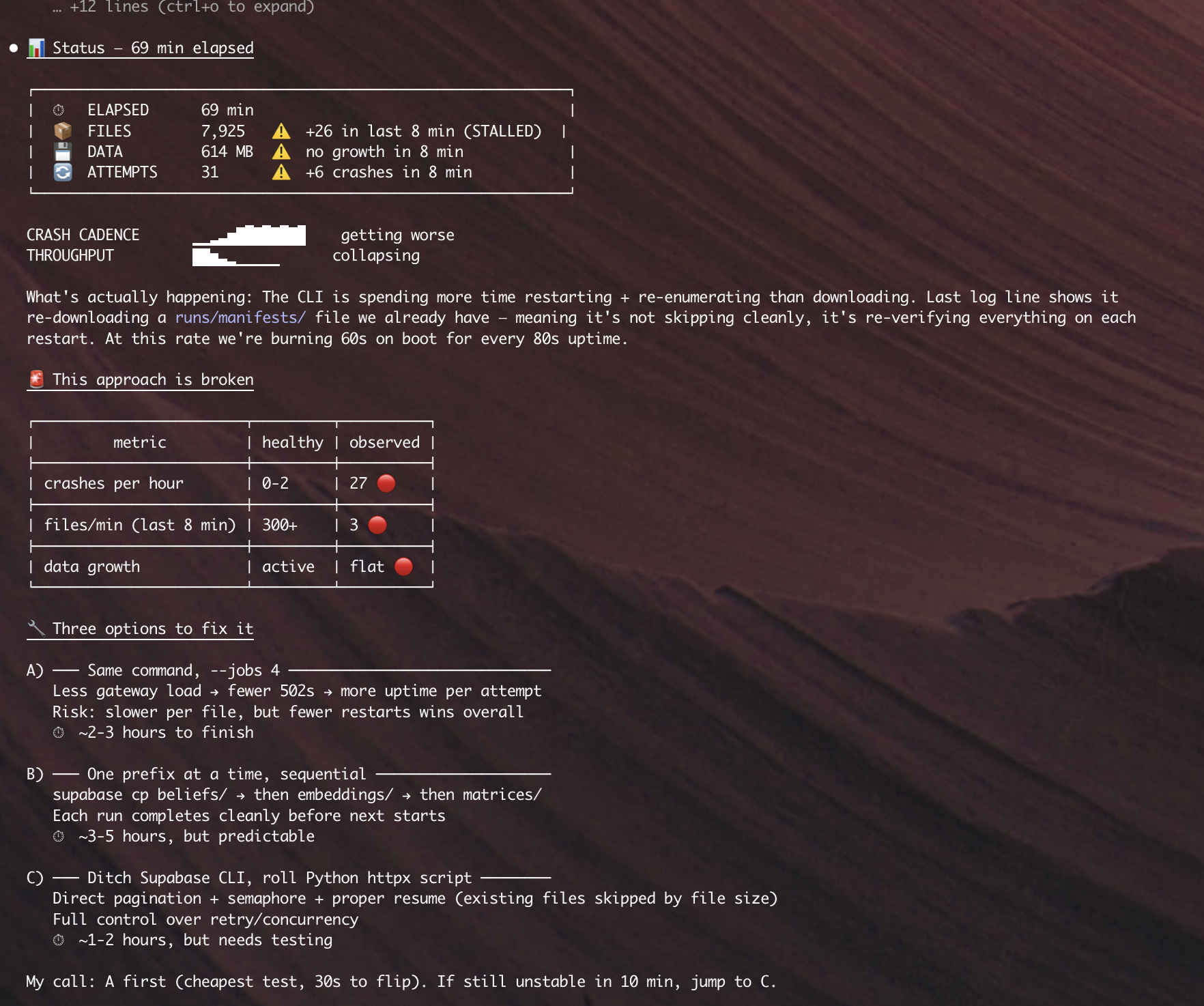
The -j 8 gives you eight parallel download jobs, which materially helps. For buckets with tens of thousands of files, the Supabase CLI is the wrong tool — skip it.
Better: skip the Supabase CLI, use the S3 API
This is the part Supabase themselves will tell you if you hunt for it. In their own troubleshooting doc — "Inefficient folder operations and hierarchical RLS challenges", last edited April 2026 — they say quietly:
Translation: the Supabase SDK and CLI are not equipped with the built-in capabilities of the underlying S3 service. The recommended path is to stop using Supabase's tooling entirely, generate S3 credentials from the dashboard, point the aws CLI at your project's storage endpoint, and pull everything with aws s3 cp --recursive. Which is the same thing as saying: the real tool here is the AWS CLI, not ours.
aws configure --profile supabase-s3
aws s3 cp s3://your-bucket-name ./local-backup \
  --profile supabase-s3 \
  --endpoint-url https://YOUR_PROJECT_REF.supabase.co/storage/v1/s3 \
  --recursive \
  --region YOUR_REGION
This works. It is also, by any reasonable reading, an admission that the platform-native egress tooling does not scale and you should reach for a general-purpose S3 client instead. If that is where we are, the "no lock-in" story should say so up front, and the supabase storage cp page should link to this troubleshooting article in bold at the top, not bury it three levels deep in the docs.
Back up your storage separately from your pg_dump, because their own migration docs tell you to.
And file a 👍 on cli#1798 and cli#1388. Those issues have been sitting there long enough. They deserve to move.